

从 想法到实现
想法到实现
只需要
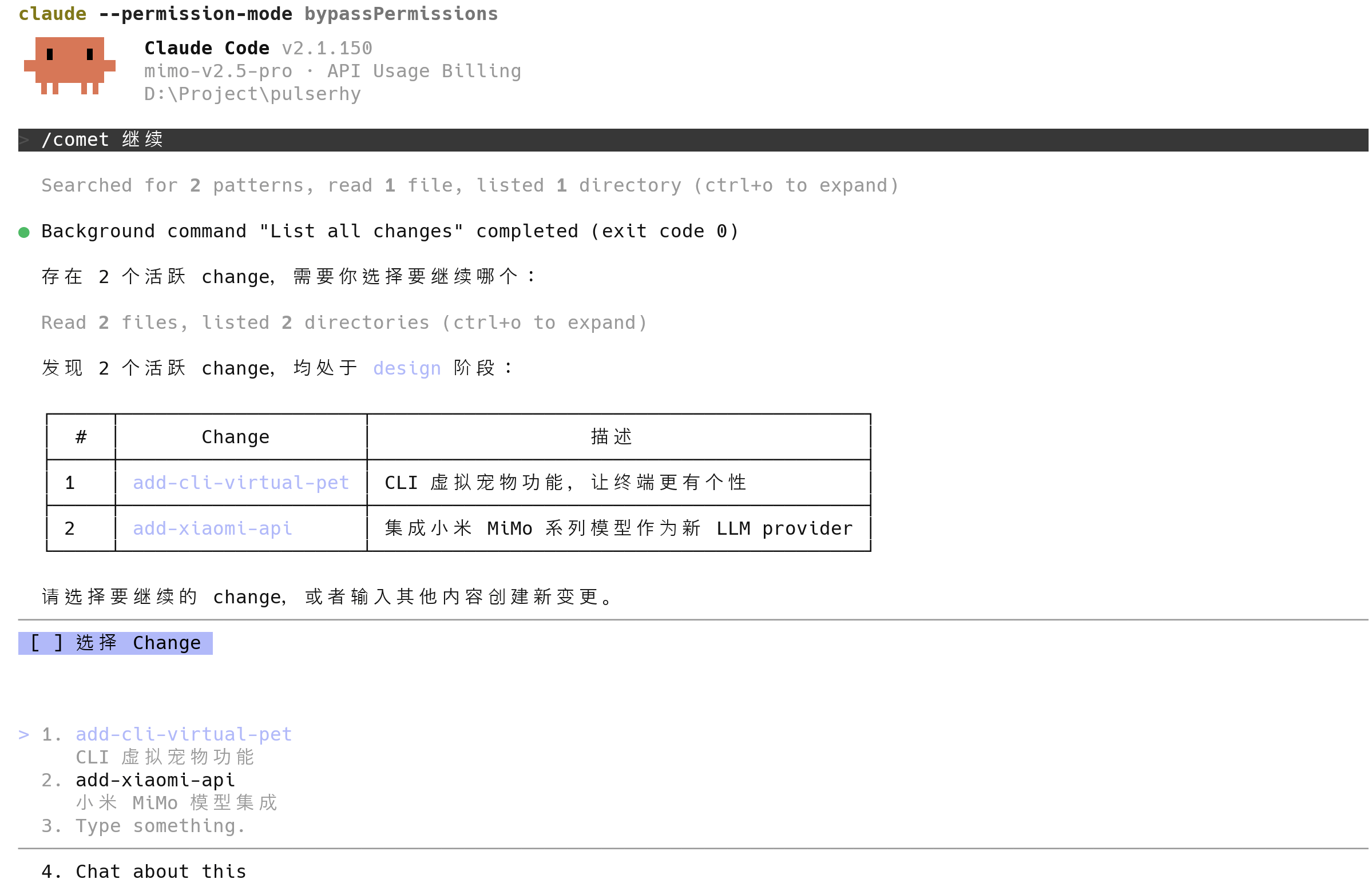
/comet
一个命令
Comet Skill 让 Agent 在长程任务上稳定执行、状态可恢复;Comet Eval 用真实任务科学评估、驱动 Skill 迭代;/comet-any 把任意 Skill 组合成可复用的能力
Comet Skill
两种模式,
一套阶段守卫
在 AI 编码工具里调用 /comet。Comet 按项目配置进入 Native 或 Classic,让一次变更从想法稳定走到归档——即使跨设备、零上下文,依然能够在中断之后从原处继续
面向强模型 · 全自动 Coding
Loop Engineering 驱动,为 Fable 5、GPT 5.6 这类能自主完成复杂代码推理的强模型设计。模型用结构化问题高强度澄清需求、起草目标 Spec,由你确认;实现交给模型自动循环推进,Comet 在澄清、目标 Spec 与结果验证上把关
经典 Spec 驱动 · 更多 HITL
Open → Design → Build → Verify → Archive 五阶段工作流,连接 OpenSpec 与 Superpowers;用 Design Doc 与显式确认点约束每一步,适合需要严密流程的较大变更,以及非 Fable 级模型
两种模式共享同一套阶段守卫:跨阶段写入被拦截,确认点不被跳过,状态可恢复
了解工作流
Comet Eval
用真实任务,
验证每一个 Skill
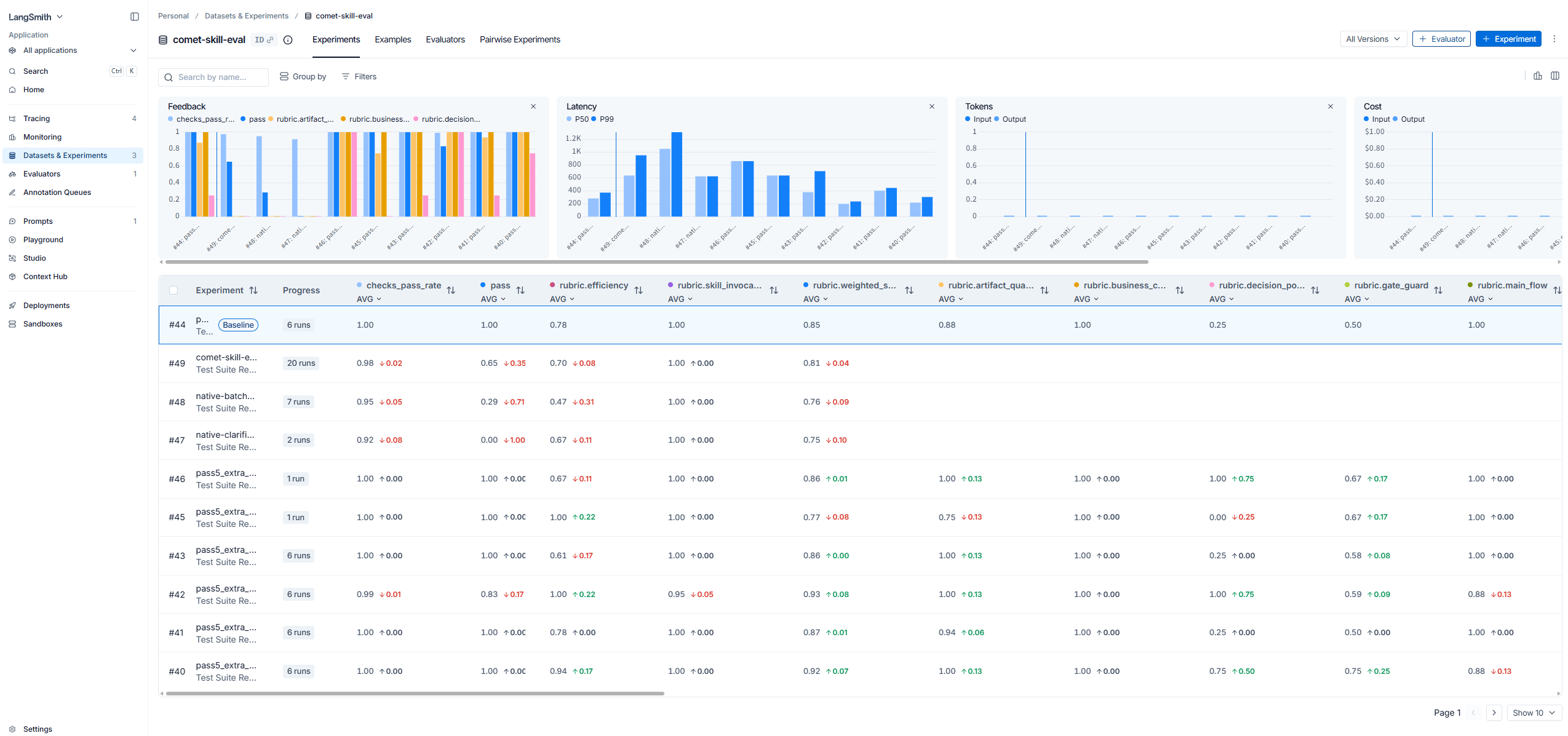
Comet Eval 采用双 Agent 自动化评估架构:被测 Agent 运行 Skill,用户模拟 Agent 在决策点自动回复,
并通过 —resume 恢复同一会话,让多阶段工作流自动跑完整条链。
把任意本地 Skill 交给 comet eval,它会在隔离环境里运行真实任务,
产出可浏览的结果、多维度评分和失败归因,让 Skill 的演进有据可依
- LangSmith / Langfuse 集成 — Trace、数据集与评分接入 LangSmith / Langfuse,跨运行可观测、可对比、可回溯
- 生产级可用 — 隔离环境运行真实任务,Rubric 多维评分 + Pass@k / Pass^k,失败归因到 Harness / Workflow / Task / Model 层
- 驱动 Skill 迭代 — 把“感觉能用”变成可度量证据,评估结果决定 Skill 是否发布、如何演进
Skill Creator
把工作方法,
沉淀成可复用 Skill
用 /comet-any 创建、组合或整理任意 Skill
先确认方案与 Workflow 约定,再进入评估、发布和分发——把一次性经验变成可复用能力
- 组合任意 Skill — 把 brainstorming、writing-plans、TDD 等已有 Skill 编排成新流程
- Workflow 约定 — 先约定阶段、确认点与产物,再写实现,方案稳定后进入构建
- 评估与发布 — 创建后直接评估、打包、发布,Skill 的每次演进都可追溯
Supervisor Change
把复杂需求,
拆给多个 Agent 并行完成
Comet Supervisor Change 统筹复杂目标,按真实交付边界拆分为可独立实现和验证的子 Change, 并通过 DAG 统一管理依赖、隔离工作区、集成与最终验收。你可以选择 Codex 多会话或 Claude Code Agent Teams 并行执行。
在 Codex 中的多会话执行
Supervisor 负责协调,多个独立会话在各自 worktree 中执行、验证并回传结果
在 Claude Code 中的 Agent Teams 执行
Supervisor 调度 Agent Team,按依赖并行推进子任务,再由 Comet 运行时汇总状态并完成集成
Self-evolving
每一次任务,
都让 Agent 更懂你与项目
Comet 把用户反馈、任务结果、Review、验证和归档中的可复用经验沉淀为后续任务上下文, 只提供当前场景需要的部分,并根据实际应用结果继续校准
个人记忆
沉淀你的偏好、协作方式和经过验证的个人经验,让跨会话协作保持一致
项目知识
从代码、配置、Review 和验证中建立项目模型与项目规范;来源变化后自动停用过时内容
Why Comet
让长任务稳定运行的工程脚手架
ReAct 解决单轮推理,Comet 为完整工作流补上状态管理、阶段守卫与结果评估, 让任务从想法稳定推进到归档
- 01
阶段守卫
用阶段边界、确认点与验证要求约束推进,关键步骤不被跳过,越界操作会被拦截
- 02
可恢复状态
将阶段、决策、证据与失败记录写入项目,中断、压缩或跨设备后仍能从原处继续
- 03
意图路由
/comet读取项目配置、活跃状态与当前意图,进入正确流程并延续已有工作 - 04
评估驱动
用真实任务评分和失败归因,让 Skill 的演进有据可依
- 05
上下文压缩
把目标、决策、状态、证据与下一步结构化落盘,压缩对话后仍保留推进所需上下文
- 06
Skill 组合
把已有 Skill 编排成新流程,沉淀为可评估、可发布的可复用能力
37 platforms
在你已经在用的工具里运行
Comet 支持 37 个 AI 编码平台,初始化向导按平台完成安装与配置
Live setup
从 npm 安装到第一次 /comet
安装 Comet,初始化当前项目,
然后在你已有的 AI 编码工具中调用 /comet 开始工作
- 01
安装 CLI
通过 npm 全局安装
@rpamis/comet,让 Comet 命令在终端中可用 - 02
初始化项目
向导写入 Skill、规则与阶段守卫,并按已检测到的平台完成配置
- 03
开始工作
设置完成后,直接在你已有的 AI 编码工具里调用
/comet
Ready for work
准备好开始了吗
Comet 会把控阶段、维持状态、评估结果
接下来,你只需要带上你的下一个任务
Comet Skill
让 Agent 在长程任务中分阶段执行、持久化状态,并从中断处继续
Comet Eval
用双 Agent 自动化架构运行真实任务,产出评分、证据与失败原因
Comet Any
组合或整理已有 Skill,把一次性工作方法沉淀成可评估、可发布的能力