

comet init 里选择一个或多个平台。Comet 目前支持 37 个 AI 编码平台。
全部平台一览
下表列出所有平台、平台 id(用于 CLI--platform <id>)、项目级 Skill 目录、全局 Skill 目录,以及各自支持的能力。
完整能力(Skill + 规则 + hooks)
Skill + hooks(无规则)
Skill + 规则(无 hooks)
仅 Skill(无规则、无 hooks)
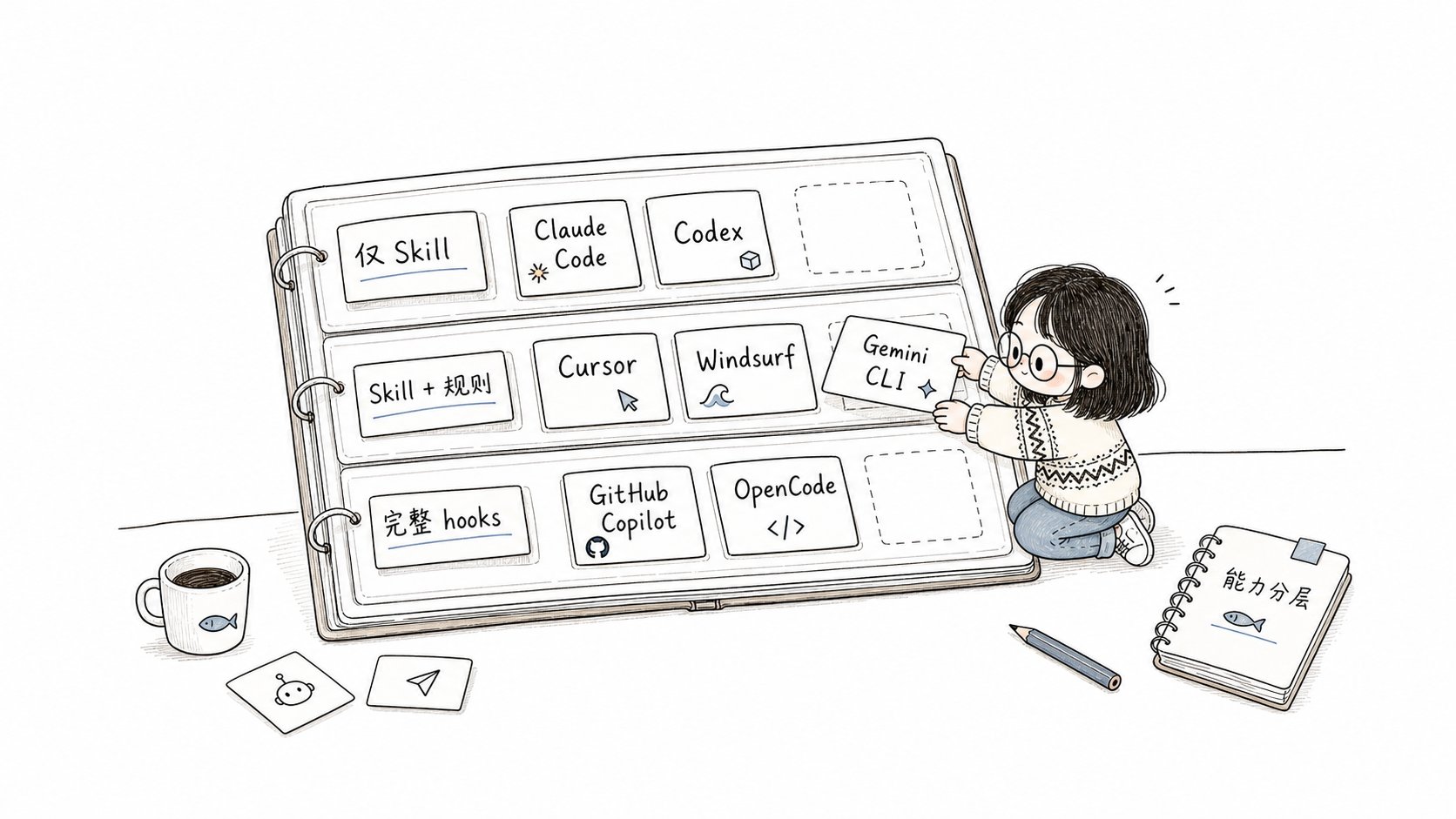
平台支持按 Skill、规则和 hooks 逐层增强
能力汇总
规则格式
Comet 支持四种规则格式:Hooks 格式
当前列表中的 16 个 Hook 平台使用 11 种 hook 格式:OpenCode 系平台
OpenCode、ZCode、MimoCode 都基于 OpenCode 运行时,支持 OpenCode 风格 slash 命令和镜像 OpenSpec 输出:特殊安装路径
以下平台的全局安装目录与项目级目录不同:
其他平台的全局安装使用同名目录(如 Claude Code 全局为
~/.claude,CodeBuddy 全局为 ~/.codebuddy,WorkBuddy 全局为 ~/.workbuddy)。Junie、CoStrict、Crush、Factory Droid、iFlow、Bob Shell、ForgeCode 不支持全局安装。
WorkBuddy 项目级 Skill 位于
.workbuddy/skills/,用户级 Skill 位于
~/.workbuddy/skills/。阻塞 Hook 只写入项目级
.workbuddy/settings.json;全局安装不会添加全局阻塞
Hook,因此不需要项目外的 Hook 配置。Codex 的 Skill 发现根与配置根不同:项目和全局 Skill 使用
.agents/skills,Codex 专属配置、规则、hooks 和插件缓存仍位于
.codex。0.4.0-beta.4 的 update/uninstall 会迁移 Comet 管理的旧
.codex/skills 安装,并保留其他 Skill 和共享目录。0.4.0-beta.5
起,Codex 的阶段守卫 hook 改写到受支持的 .codex/hooks.json。Grok
同样使用 claude-code hook 格式,但写入 .grok/hooks/comet.json
,并额外匹配 Grok 原生的 write/search_replace 工具。Antigravity 和 Antigravity 2.0 共享项目级的
.agents/ Skill
目录,所以 comet init
自动检测时会同时选中两者。如果你只想给其中一个安装,可在交互式安装流程(不加
—yes)里手动取消勾选另一个。选择项目级还是全局
安装模式:复制 vs 符号链接
comet init 和 comet update 在选择平台后,会询问安装模式(install mode)。0.4.0-beta.1 起新增了符号链接(symlink)模式:
Symlink 模式的工作方式
选择 Symlink 后,Comet 不再为每个平台复制一份 Comet Skill,而是在各平台已有的skills/ 目录中为 Comet Skill 创建指向项目中央 .comet/skills/ 的符号链接:
comet update 时只需更新中央存储,所有平台立即生效。终端摘要会显示 symlink created 或 symlink creation failed。
如果目标平台已有自己的
skills/ 目录,Comet
会保留目录和其中的本地/第三方 Skill,只创建或刷新 Comet 管理的链接。选择哪种模式不影响 Comet 的行为,只影响文件如何落到磁盘。提交到仓库时,Copy
模式会产生真实文件;Symlink 模式产生的是符号链接(通常需要团队成员各自
comet init)。通用 skills 注册表平台
有些 AI 编码平台通过通用skills CLI 注册表管理 Skill。对这些平台(包括 OpenClaw、Hermes 等),直接用通用命令安装 Comet skill 包:
comet init 可以并存,互不冲突。
hooks 和可执行能力
部分平台支持 hooks。Comet 会以非破坏的方式合并自己管理的 hook 配置,保留用户已有配置。 如果文件中已经有插件、hook 或其他用户设置,Comet 会保留这些内容;如果 JSON 无法解析,安装会直接报错失败,并保持原文件不变。安装后验证(非必须)
doctor 会给出诊断。需要更新时运行: