The 0.3.9 Comet is an excellent “five-phase workflow layer” — it chains OpenSpec and Superpowers into a resumable development pipeline, guarded by Bash scripts at each phase boundary. But the more we used it, the more two categories of limitations stood out.
One category is hard limits of existing capabilities —
- Windows users had to install Git Bash or WSL to run the full pipeline;
/comet routing relied entirely on the Agent re-reading the prompt to “guess” once, with no way to review a wrong guess;- After an interruption, all state was crammed into a single
.comet.yaml, where machine fields and human fields polluted each other.
The other category is gaps that simply did not exist —
- Users could only consume Comet’s built-in
/comet series of commands — there was no way to author their own Skills, let alone compose arbitrary Skills into a reusable package as good as /comet;
- There was no way to quantify “is this Skill actually good” — improvements were all guesswork;
- Halfway through a change, if you wanted to see what it had produced or where it was stuck, you had to dig through files.
0.4.0-beta.1 does a systematic rebuild for the first category, and ships three entirely new systems at once for the second. This article is not a feature checklist (see the changelog) — it explains the reasoning behind every decision.
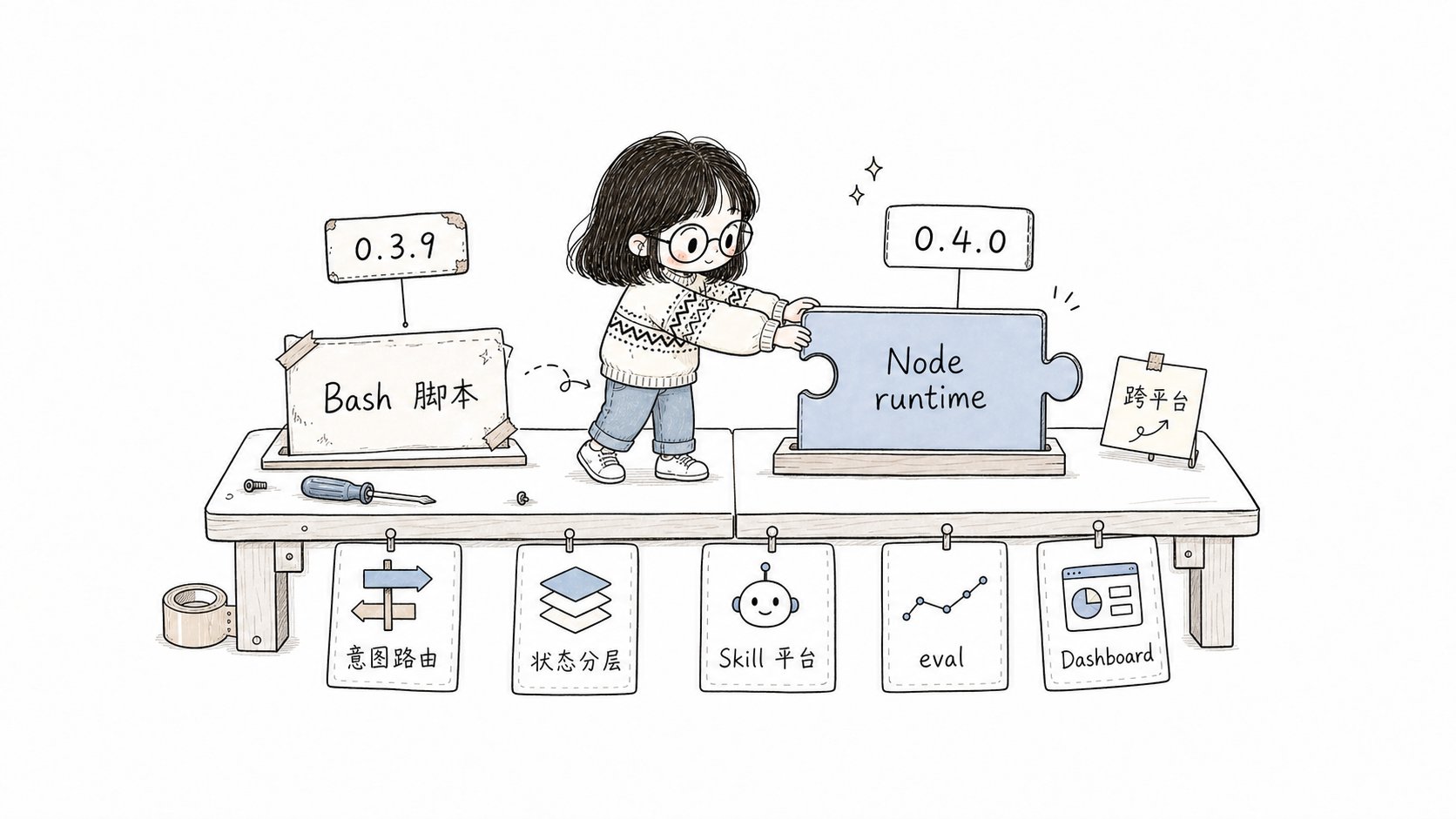
0.4.0 rebuilds Comet from a Bash workflow layer into a cross-platform runtime, and grows three new systems: Skill authoring, evaluation, and visualization.
1. Why swap the Bash runtime for Node
This is the biggest rebuild in 0.4.0, and the change Windows users welcome the most.
The 0.3.9 state: core logic like the state machine, phase guards, handoffs, and archiving was carried by 7 Bash scripts. The logic itself was fine, but the precondition — “you must have a Bash-compatible shell” — kept a sizeable group of users out. On Windows you either installed Git Bash or used WSL; path escaping, shell differences, and lost executable permissions (the classic 100644 → 100755 problem on macOS) were recurring hazards.
The 0.4.0 decision: rewrite every script as a Node .mjs launcher, backed by a single shared TypeScript runtime (domains/comet-classic/). Each .mjs is a self-contained esbuild single-file bundle that inlines dependencies like yaml.
Why this way:
| Motivation | 0.3.9 | 0.4.0 |
|---|
| Cross-platform | Windows needs Git Bash/WSL | Only Node.js 20+ |
| Path reliability | shell escaping, CRLF, exec bit | handled natively by Node |
| Implementation consistency | scattered shell logic | a single TypeScript transition-semantics table |
comet-state transition and comet-guard --apply now share the same classic-transitions.ts, so the two advancement paths behave identically and you never again get “the guard approved but the state rejected” inconsistencies.
The most important promise for existing users: the behavior of every /comet* command is unchanged. You do not need to change how you use them. The layer beneath switched from Bash to Node, but the workflow is still the same workflow.
2. Why routing context exists
The 0.3.9 state: the /comet entry relied on a natural-language rule inside the Skill body to decide whether to go full/hotfix/tweak. The problem is that this rule was not explainable, not reviewable, not recoverable. When routing went wrong you could not tell which signal was the problem; on re-entry after an interruption, the Agent could only guess again.
The 0.4.0 decision: turn “what the user wants to do” into a structured routing context (implementation type name CometIntentFrame), then have the runtime re-score it against a fixed priority to produce an explainable final route.
Why this way: the core tension is a “trust problem”. The old approach trusted the routing suggestion the Agent itself proposed; the new approach does not trust the suggestion, only the evidence — the runtime recomputes from the confidence, risk signals, and repository context inside the routing context, and when it disagrees with the Agent’s suggestion it writes the disagreement into a diagnostic log.
The design choice that best embodies this is risk signals take priority over the stated process: you say “go hotfix”, but if public_api_change is hit, the runtime stops and asks you instead of letting through a lightweight flow that affects external contracts. This is Comet’s safety baseline — it would rather ask one more question than gamble a high-risk shortcut on your behalf.
See intent recognition and routing.
3. Why /comet-any exists: let everyone build Skills that work well
The previous two items make existing capabilities more robust. From this section on, these are capabilities 0.4.0 adds entirely new.
The 0.3.9 state: users could only consume Comet’s built-in /comet series of commands. You wanted to build your own workflow Skill? You could not. You wanted to compose brainstorming + writing-plans + systematic-debugging + verification-before-completion into a “team PR review assistant” and ship it? Comet had no such path at all — it was a workflow to be consumed, not a factory that produces Skills.
The 0.4.0 decision: /comet-any is not a prompt generator, it is a complete Skill authoring platform. The core problem it solves is — compose arbitrary Skills so users can build Skills as good as Comet itself.
Why it has to be a platform, not a script: because “build a reusable, distributable, reviewable Skill package” is fundamentally different from “write a prompt”. A Skill that can stand alongside /comet needs:
- A deterministic skeleton — the routing table, runtime scripts, and manifest must be reproducible, not different every time you generate;
- Reviewable authored content — the decision core of the entry point and the guidance of each node are written by an LLM, but must be human-reviewable and gated by evidence;
- A release evidence chain — eval evidence binds to the current draft hash, human approval binds to the current hash, and a preview is forced before distribution.
So the output of /comet-any is a stable composite Skill Bundle, not a SKILL.md:
<bundle-draft>/
  bundle.yaml
  skills/<entry-skill>/
    SKILL.md                    # the entry point users actually call
    comet/
      skill.yaml                # internal run plan
      guardrails.yaml           # constraints generated from preferences and risk policy
      checks.yaml               # run-completeness checks
      eval.yaml                 # Eval manifest
    reference/
      resolved-skills.json      # real Skill sources, hashes, selection evidence
      composition-report.md     # composition plan, deviation explanations, risks
    scripts/                    # control plane that advances the flow stably
  rules/
  hooks/
/comet-any create -> comet eval verify -> comet creator status/next
  -> comet publish review/approve/run -> comet publish distribute --preview
  -> comet publish distribute
/comet-any also reads project-level preferences (.comet/skill-preferences.yaml): which Skills you want to reuse first, what to do about missing or ambiguous inputs, whether scripts/hooks are allowed. It must first show you the composition plan for confirmation, and only writes the Bundle draft after you nod — this is the starting point of “reviewable”.
See the Skill Creator full workflow.
4. Why eval is the arbiter of the entire evolution direction
/comet-any solves “you can build it”, but buildable does not mean good. If no one can quantify whether a Skill is actually good, improvement is all guesswork and the Skill has no reliable evolution direction. comet eval is the new system that fills this gap — it is the arbiter that decides whether a Comet Skill can be released and which way it should evolve.
The 0.3.9 state: whether a Skill was good was pure feel. You wrote a workflow Skill, but whether teammates could use it, whether it was stable, whether the tokens were well spent — there was no quantification, and no objective “can it be released” threshold.
The 0.4.0 decision: comet eval is a pytest-based Skill evaluation framework. It does not just “run it and see if it passes” — it uses a metric system to break “is it good” into comparable numbers.
Why eval decides the evolution direction: because eval results are wired directly into the release gate — you may not publish without eval evidence for the current draft hash, with a failed eval, or with eval evidence bound to a stale hash. In other words, eval is the mandatory checkpoint a Skill passes through on its way from draft to distribution, and its scoring dimensions are the compass for where the Skill should invest effort.
eval uses two key metrics to separate “capability” from “reliability”:
| Metric | Meaning | Question it answers |
|---|
pass@k (capability ceiling) | the probability of at least one success in k independent attempts | ”Can this Skill do it?” |
pass^k (reliability floor) | the probability of all successes in k independent attempts | ”Can it do it every time?” |
pass@k and low pass^k means “occasionally right, but you cannot count on it every time”, and this gap (pass@k − pass^k) is the most important quality signal: a high-capability, low-reliability Skill should next invest in “stability” rather than “more features”.
So that different types of Skills are scored on matching dimensions rather than by a one-size-fits-all rule, eval provides three rubric profiles:
| Profile | Use case | Dimensions |
|---|
generic | any Skill | 7 dimensions (completeness, Skill calls, artifacts, instruction following, interaction, efficiency, safety boundaries) |
comet-workflow | Comet workflows | 9 dimensions (adds main-flow evidence, phase guards, spec drift, recoverability) |
authoring-skill | /comet-any generated packages | 11 dimensions |
harness — likely an eval environment, Docker, or path issue;workflow — likely the Skill execution flow did not meet expectations (fix the Skill);task — likely a task definition or verification-condition issue;model — likely unstable model behavior or tool use.
For ordinary users it is two steps: first --collect for a low-cost discovery pre-check, then --html to run the real evaluation and get a browsable report.
comet eval ./generated-skill/comet/eval.yaml --collect
comet eval ./generated-skill/comet/eval.yaml --html
5. Why Dashboard exists: make artifact management visible
The Skill is built and evaluated, but a change in flight produces a large volume of artifacts — proposal, design, tasks, plan, verifyReport, handoff, checkpoint… In 0.3.9 these were scattered across openspec/changes/, docs/superpowers/, and .comet/, so to see which step a change was on, what it had produced, or whether it was stuck, you had to dig through files. comet dashboard is the new system that fills this gap: it gives artifact document management a visual platform.
The 0.3.9 state: no visualization. Diagnosing a stuck change meant opening YAML files one by one, finding pointers, jumping to the corresponding directory, and assembling the full picture yourself.
The 0.4.0 decision: comet dashboard starts a local read-only browser interface that puts the full picture of each change onto a single panel.
Why “artifact management visualization”: dashboard groups all artifacts by source into three buckets, so you can see at a glance what a change should have, what it already has, and what is still missing:
| Group | Artifacts | Source |
|---|
| OpenSpec | proposal, design, tasks, deltaSpec | spec files inside the change directory |
| Superpowers | designDoc, plan, verifyReport | design/plan/review evidence under docs/superpowers/ |
| Comet | .comet.yaml, handoff, checkpoint, brainstorm, subagentProgress | intermediate artifacts in .comet/ |
comet dashboard . --json          # emit one snapshot, for scripts/CI
comet dashboard . --port 4399     # specify a port
GET /api/dashboard                # HTTP endpoint, same snapshot
comet status and comet doctor report are exactly the problems scripts will actually block on. This turns Comet’s “recoverability” and “observability” from slogans into verifiable promises.
See the Dashboard overview.
6. Why state is split into three layers
The 0.3.9 state: all state was stuffed into a single .comet.yaml — human-readable workflow fields and machine-managed runtime checkpoints were mixed together. The result was that users easily mistouched machine fields, and machine-field changes polluted the human-readable projection.
The 0.4.0 decision: each change’s state is split into three layers:
| File | Owner | Contents |
|---|
.comet.yaml | human-readable | workflow projection (workflow/phase, etc.) + run_id link |
.comet/run-state.json | machine-managed | runtime checkpoint: current step, iteration, pending actions |
.comet/state-events.jsonl | append-only audit | a complete record of successful transitions |
comet-state set refuses to write them directly; the audit log is append-only and never overwritten, giving you a traceable state history. Old changes migrate automatically on first read, with no manual handling needed.
What all of this points to
If you look at these six items together, the main line of 0.4.0 is clear: Comet has gone from a “workflow layer” to a “workflow + Skill platform”, and these three things support each other and form a closed loop:
- You can build it —
/comet-any lets anyone compose arbitrary Skills into a reusable package as good as Comet;
- You can measure it —
comet eval makes Skill effectiveness quantifiable and acts as the release gate that decides which way a Skill evolves;
- You can see it —
comet dashboard gives artifact document management a visual panel.
Three more things hold the platform steady:
- the runtime is now cross-platform (Node), so the platform can land in more environments;
- routing is now explainable (routing context), so the platform’s behavior is trustworthy;
- state is now layered, so the platform is recoverable and auditable.
0.3.9 solved “how to make a single workflow recoverable”; 0.4.0 solves “how to make workflows and Skills into a platform that can be authored, measured, seen, trusted, and scaled”. That is what this major version jump is really trying to do.
For the complete line-by-line changes, see the 0.4.0-beta.1 changelog.