

From 
All it takes is one /comet command
Comet Skill keeps Agents running reliably through long tasks, with recoverable state. Comet Eval evaluates Skills on real tasks and turns results into evidence for iteration. /comet-any composes Skills into reusable capabilities.
Comet Skill
Two modes,
one set of phase guards
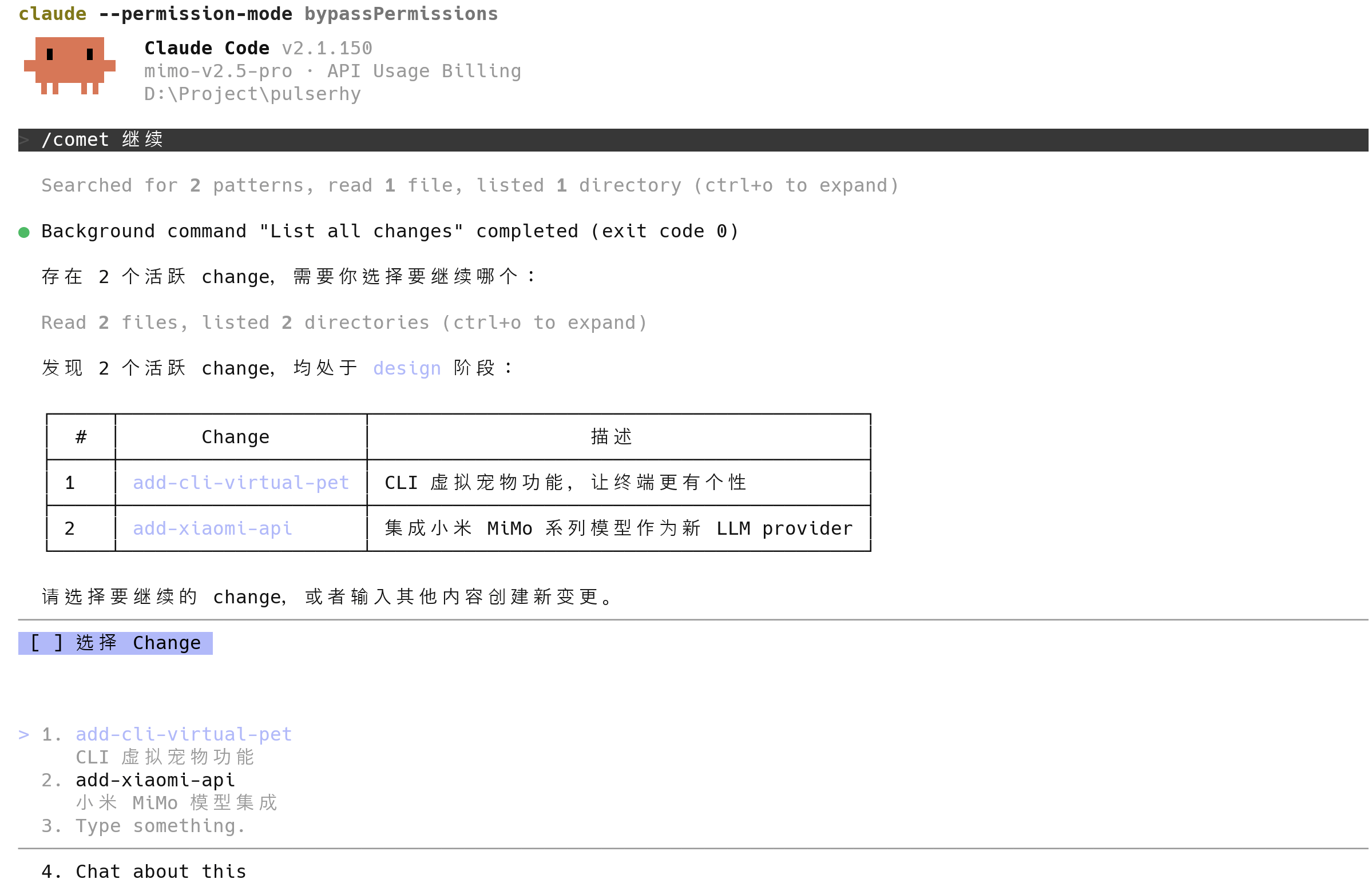
Invoke /comet in your AI coding tool. Comet enters Native or Classic from your project configuration and moves a change from idea to archive reliably — even after an interruption, across devices, or with zero context, it continues from where it stopped.
For strong models · Fully automated coding
Driven by Loop Engineering, it is designed for strong models such as Fable 5 and GPT 5.6 that can work through complex code reasoning on their own. The model clarifies requirements intensively with structured questions and drafts a target Spec for you to confirm; implementation then advances through automatic model loops while Comet guards clarification, the target Spec, and result verification.
Classic Spec-driven · More HITL
An Open → Design → Build → Verify → Archive five-phase workflow that connects OpenSpec with Superpowers. Design Docs and explicit confirmation points constrain each phase, which suits larger changes that need a rigorous process and models below the Fable tier.
Both modes share the same phase guards: cross-phase writes are blocked, confirmation points can’t be skipped, and state stays recoverable.
Explore the workflow
Comet Eval
Validate every Skill
with real tasks
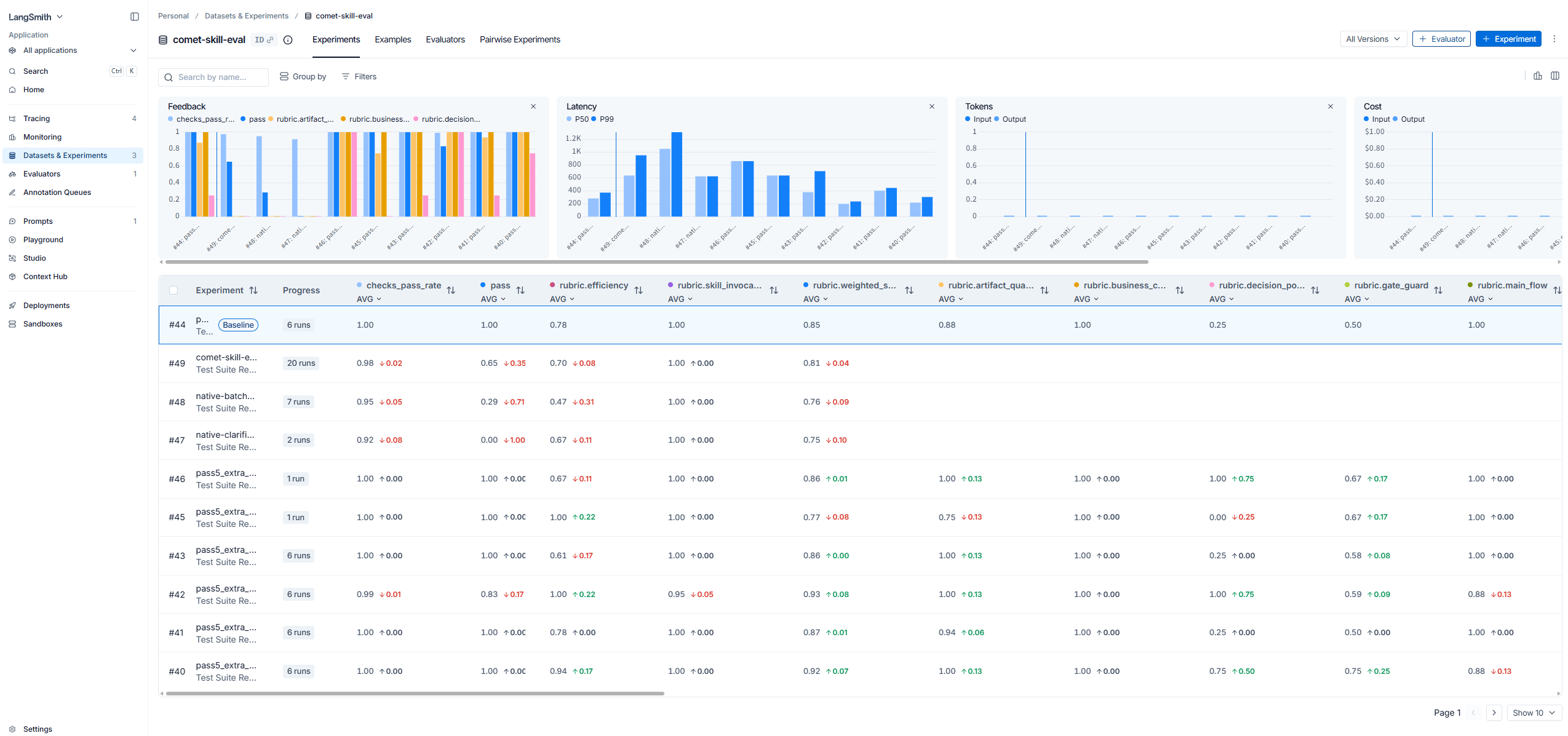
Comet Eval uses a dual-Agent automated evaluation architecture: the Agent under test runs the Skill, a user-simulation Agent replies automatically at decision points, and —resume resume the same session so the whole multi-phase workflow runs end to end on its own.
Give any local Skill to comet eval — it runs real tasks in an isolated environment and produces browsable results, multidimensional scores, and failure attribution, so Skill evolution is grounded in evidence.
- LangSmith / Langfuse integration — plug traces, datasets, and scores into LangSmith / Langfuse; every run becomes observable, comparable, and traceable
- Production-ready — runs real tasks in an isolated environment with Rubric-based multidimensional scoring and Pass@k / Pass^k, attributing failures down to the Harness / Workflow / Task / Model layer
- Drives Skill iteration — turns “feels like it works” into measurable evidence, and the evaluation results decide whether and how a Skill ships and evolves
Skill Creator
Turn working methods
into reusable Skills
Use /comet-any to create, combine, or organize any Skill.
Agree on the plan and Workflow contract first, then move on to evaluation, publishing, and distribution — turning one-off experience into reusable capabilities.
- Compose any Skill — orchestrate existing Skills such as brainstorming, writing-plans, and TDD into new workflows
- Workflow contract first — define the phases, confirmation points, and artifacts before writing the implementation, then start building once the plan is stable
- Evaluate and publish — evaluate, package, and publish right after creating a Skill, and every iteration stays traceable
Supervisor Change
Complex requirements,
handled in parallel by multiple Agents
Comet Supervisor Change coordinates complex goals, splits them at real delivery boundaries into sub-changes that can be implemented and verified independently, and manages dependencies, isolated worktrees, integration, and final acceptance through a DAG. You can run it with Codex multi-session or Claude Code Agent Teams for parallel execution.
Multi-session execution in Codex
The Supervisor coordinates: multiple independent sessions execute, verify, and report results back from their own worktrees.
Agent Teams execution in Claude Code
The Supervisor dispatches Agent Teams to advance sub-tasks in parallel according to their dependencies; the Comet runtime then aggregates the state and completes integration.
Self-evolving
Every task
helps Agents understand you and your project
Comet turns reusable lessons from user feedback, task results, Reviews, verification, and archiving into context for later tasks. It surfaces only what the current situation needs and keeps recalibrating based on the results it sees in practice.
Personal memory
Records your preferences, collaboration style, and proven personal experience so cross-session work stays consistent.
Project knowledge
Builds a model of the project and its conventions from code, configuration, Reviews, and verification, and automatically retires stale content when its source changes.
Why Comet
Engineering scaffolding for stable long-running tasks
ReAct handles single-turn reasoning. Comet adds state management, phase guards, and result evaluation to the complete workflow so tasks advance reliably from idea to archive.
- 01
Phase guards
Phase boundaries, confirmation points, and verification requirements keep progress in check: critical steps can’t be skipped, and out-of-scope operations are blocked.
- 02
Recoverable state
Phases, decisions, evidence, and failure records are written into the project, so you can pick up from the same point after an interruption, context compression, or switching devices.
- 03
Intent routing
/cometreads the project configuration, active state, and your current intent to enter the right workflow and carry on existing work. - 04
Evaluation-driven
Scoring on real tasks and failure attribution give Skill evolution a concrete evidence base.
- 05
Context compression
Goals, decisions, state, evidence, and next steps are persisted in structured form, so a compressed conversation still carries the context you need to move forward.
- 06
Skill composition
Orchestrate existing Skills into new workflows and shape them into reusable capabilities that can be evaluated and published.
38 platforms
Run it in the tools you already use
Comet supports 38 AI coding platforms. The initialization wizard installs and configures each platform.
Live setup
From npm install to your first /comet
Install Comet, initialize the current project,
then invoke /comet in the AI coding tool you already use and start working.
- 01
Install the CLI
Install
@rpamis/cometglobally with npm to make Comet commands available in your terminal. - 02
Initialize the project
The wizard installs Skills, rules, and phase guards, then configures the platforms it detects.
- 03
Start working
After setup, invoke
/cometdirectly in the AI coding tool you already use.
Ready for work
Ready to get started?
Comet guards the phases, keeps the state, and evaluates the results.
All you need to bring is your next task.
Comet Skill
Let Agents execute long-running tasks in phases, persist state, and resume after interruptions.
Comet Eval
Run real tasks with a dual-Agent automated evaluation architecture and produce scores, evidence, and failure causes.
Comet Any
Combine or organize existing Skills to turn one-off working methods into capabilities that can be evaluated and published.