

comet init. Comet currently supports 38 AI coding platforms.
All platforms at a glance
The following table lists every platform, its platform id (for the CLI--platform <id>), its project-level Skill directory, its global Skill directory, and the capabilities it supports.
Full capabilities (Skill + rules + hooks)
Skill + hooks (no rules)
Skill + rules (no hooks)
Skill only (no rules, no hooks)
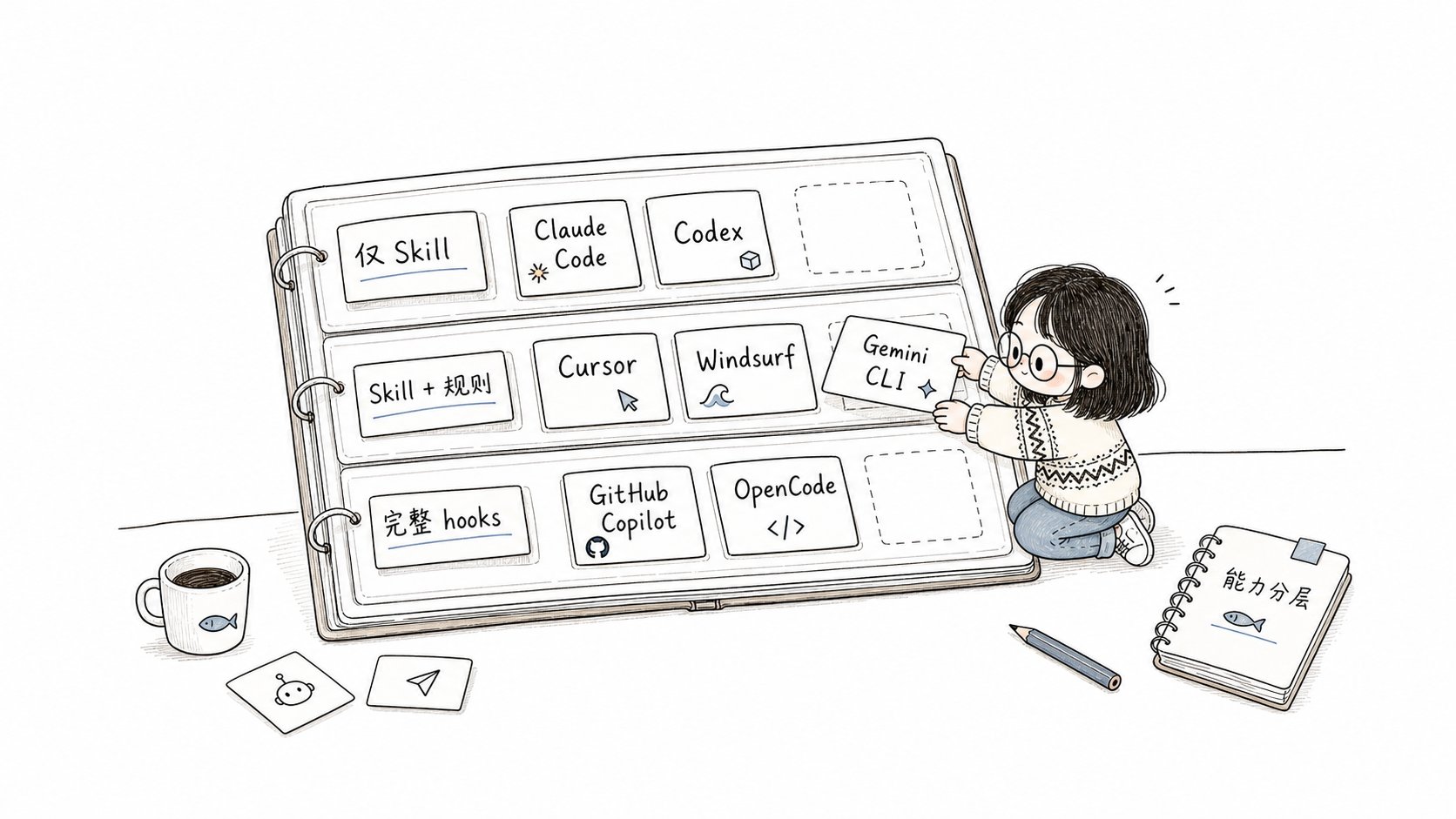
Platform support builds up layer by layer: Skill, rules, then hooks
Capability summary
Rule formats
Comet supports four rule formats:Hook formats
The 17 hook platforms in the current list use 12 hook formats:Activate DeepSeek Harness Hooks
DSH workflow protection requires the official Hook bridge to load Comet’s configuration. After a project-level installation or update, start DSH with the project patch:comet update --scope global again. Updates migrate Comet-managed legacy patches and preserve other configuration.
Run comet doctor to check bridge configuration and activation guidance. Configuration files alone do not establish that the running host has loaded the Hook. Once activated, workflow protection checks write and edit operations and preserves denial decisions through Windows PowerShell.
OpenCode-based platforms
OpenCode, ZCode, and MimoCode all run on the OpenCode runtime and support OpenCode-style slash commands and mirrored OpenSpec output:Special installation paths
The following platforms use a global installation directory that differs from their project-level directory:
All other platforms install globally into a directory with the same name (for example, Claude Code globally at
~/.claude, CodeBuddy at ~/.codebuddy, WorkBuddy at ~/.workbuddy). Junie, CoStrict, Crush, Factory Droid, iFlow, Bob Shell, and ForgeCode do not support global installation.
WorkBuddy project-level Skills live in
.workbuddy/skills/, and user-level Skills in
~/.workbuddy/skills/. The blocking hook is written only to the project-level
.workbuddy/settings.json; a global installation does not add a global blocking hook,
so no hook configuration outside the project is needed.Codex’s Skill discovery root differs from its configuration root: project and global Skills use
.agents/skills, while Codex-specific configuration, rules, hooks, and the plugin
cache stay in .codex. The 0.4.0-beta.4 update/uninstall migrates Comet-managed legacy
.codex/skills installations and preserves other Skills and shared directories. Since
0.4.0-beta.5, Codex’s phase-guard hook is written to the supported .codex/hooks.json.
Grok also uses the claude-code hook format, but writes to .grok/hooks/comet.json and
additionally matches Grok’s native
write/search_replace tools.Antigravity and Antigravity 2.0 share the project-level
.agents/ Skill directory, so
comet init selects both during auto-detection. To install for only one of them,
uncheck the other in the interactive install flow (without
—yes).Choosing project-level or global
Installation mode: copy vs symlink
After you select platforms,comet init and comet update ask for the install mode. Since 0.4.0-beta.1 a symlink mode is available:
How symlink mode works
With Symlink selected, Comet no longer copies a per-platform set of Comet Skills. Instead, it creates symbolic links in each platform’s existingskills/ directory that point to the project’s central .comet/skills/:
comet update refreshes only the central store and takes effect on every platform immediately. The terminal summary shows symlink created or symlink creation failed.
If the target platform already has its own
skills/ directory, Comet keeps the
directory and any local or third-party Skills inside it, creating or refreshing only the
Comet-managed links.The mode you choose does not change Comet’s behavior, only how files land on disk. When committed
to a repository, Copy mode produces real files; Symlink mode produces symbolic links (team members
usually run
comet init themselves).Generic skills registry platforms
Some AI coding platforms manage Skills through the genericskills CLI registry. For these platforms (including OpenClaw, Hermes, and others), install the Comet skill package with the generic command:
comet init without conflict.
Hooks and enforcement
Some platforms support hooks. Comet merges the hook configuration it manages non-destructively and keeps your existing configuration. If the file already contains plugins, hooks, or other user settings, Comet preserves them. If the JSON cannot be parsed, the installation fails with an explicit error and leaves the original file unchanged.Post-install verification (optional)
doctor reports the diagnosis. To refresh, run: