

/comet from an agent platform.
Prerequisites
- Node.js 22.16 or later within the 22.x line, or Node.js 24 or later
- npm or npx
- Git
- A supported AI coding platform, such as Claude Code, Codex, Cursor, Gemini CLI, OpenCode, or ZCode
1. Install the CLI
@rpamis/comet v0.5.0) confirms successful installation.
2. Initialize your project (Native by default)
Change into your project root and run:.comet/config.yaml is generated at the project root. You can verify your environment with the diagnostic command:
✗ failures) indicates your setup is complete.
Other initialization situations
Other initialization situations
New projects default to Native, so the command above covers most cases. Only reach for the variants below when you actually need them.If your project already has clear Classic state, Only Classic installs or configures OpenSpec, Superpowers, and CodeGraph. A project-level install of Native, Classic, or both always receives one Comet workflow Rule; on platforms with Hook support, Comet installs one shared Router that hands writes to the Guard of the current change.A global install provides the chosen workflow’s capabilities globally. When an unconfigured project first explicitly calls
comet init keeps Classic — do not manually flip such a project back to Native. To choose a workflow or a Native artifact root (such as docs) explicitly, use the --workflow, --root, and --scope options, for example:/comet, Comet snapshots the global defaults into the project’s .comet/config.yaml, and artifacts are still written only inside that project. An activated project is not rewritten by later changes to the global defaults.For all options and configuration merge rules, see comet init; for the workflow trade-off, see Native or Classic.3. Call /comet
Open your agent platform inside the project and type:
/comet reads .comet/config.yaml and routes the request to the configured workflow (Native by default). Native automatically creates a change and advances through Shape → Build → Verify → Archive:
comet status in your terminal at any time to inspect active changes and their current phase.
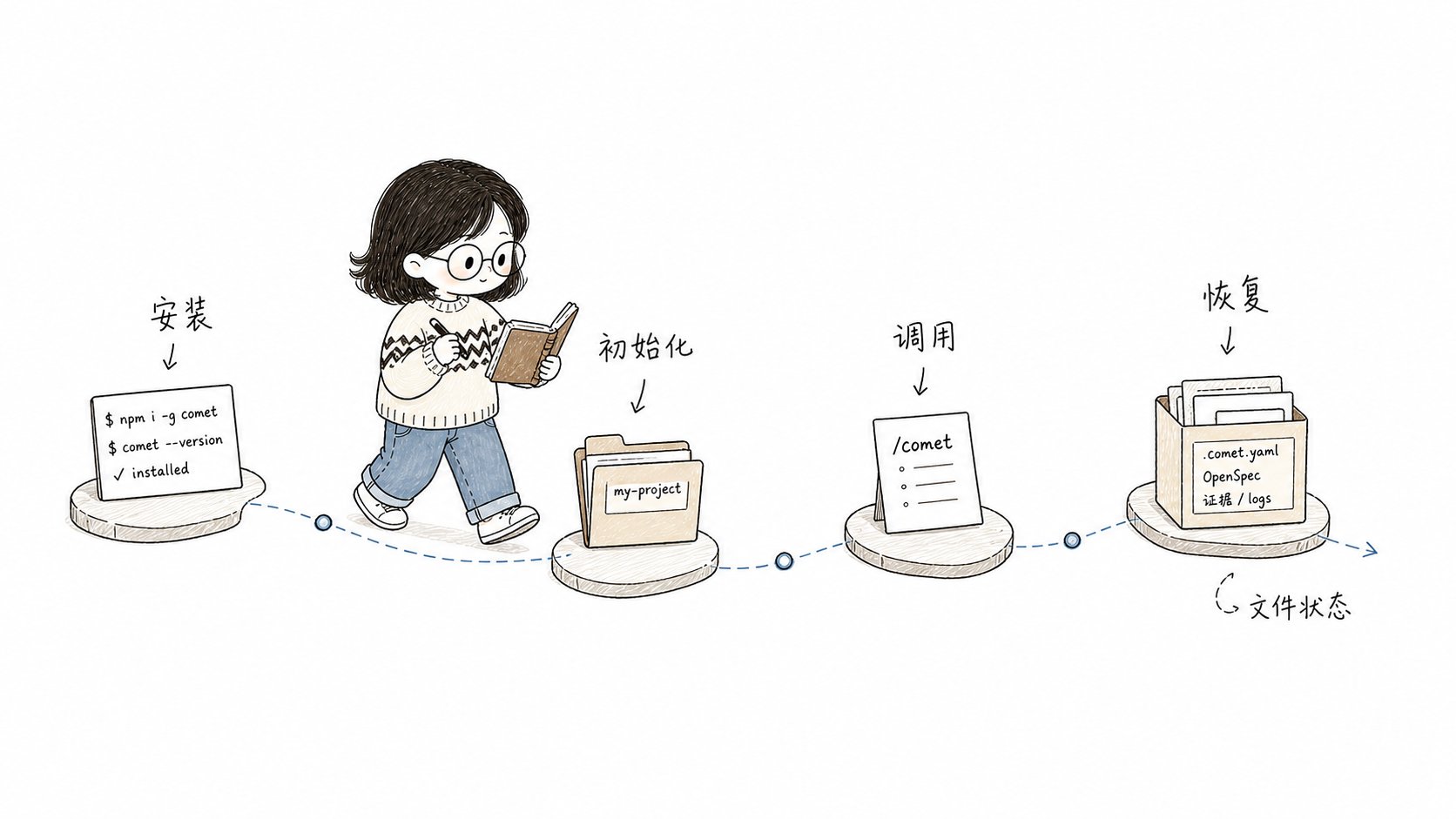
Install, initialize, invoke /comet, and recover from file-backed state after an interruption.
Check status
Run this in your terminal at any time:comet doctor:
Resume an interrupted workflow
If a session is interrupted, reopen the project and type:Next steps
- To understand the lightweight workflow, see Native workflow.
- For the classic five-phase flow, see Classic workflow concepts.
- For quick bug fixes, see the hotfix preset.