

What kind of questions will you see
On platforms that support structured questioning, such as Claude Code, Comet prioritizes presenting pause points as clickable single-choice or multiple-choice questions. You will see short labels and impact descriptions for each option; The recommended items are used to assist in judgment, and the final choice is always confirmed by you.If you only see a list of numbers on a certain platform, this is not process degradation. It merely returns the text number from the clickable options in the input interface. The blocking rules, option meanings, and status writes to access control are all consistent.
Overview of the pause points
The following lists all the pause points in stage order. The pause points of each stage are arranged in the order they occur. Only after the last pause point of the previous stage is passed can the next stage be entered.From 0.4.0 to beta.5, Comet will only be suspended at the true user decision point , . Top 3
All repairable verification failures, single secure next steps, and operations that follow the persisted configuration will be automatically handled without being asked one by one.
auto_transition: false generates NEXT: manual merely returns control.
is not a user decision point. will not ask “Whether to continue or not”.Routing stage
”open stage”
design stage
”build stage”
verify stage
archive stage
Upgrade signal (hotfix/tweak only)
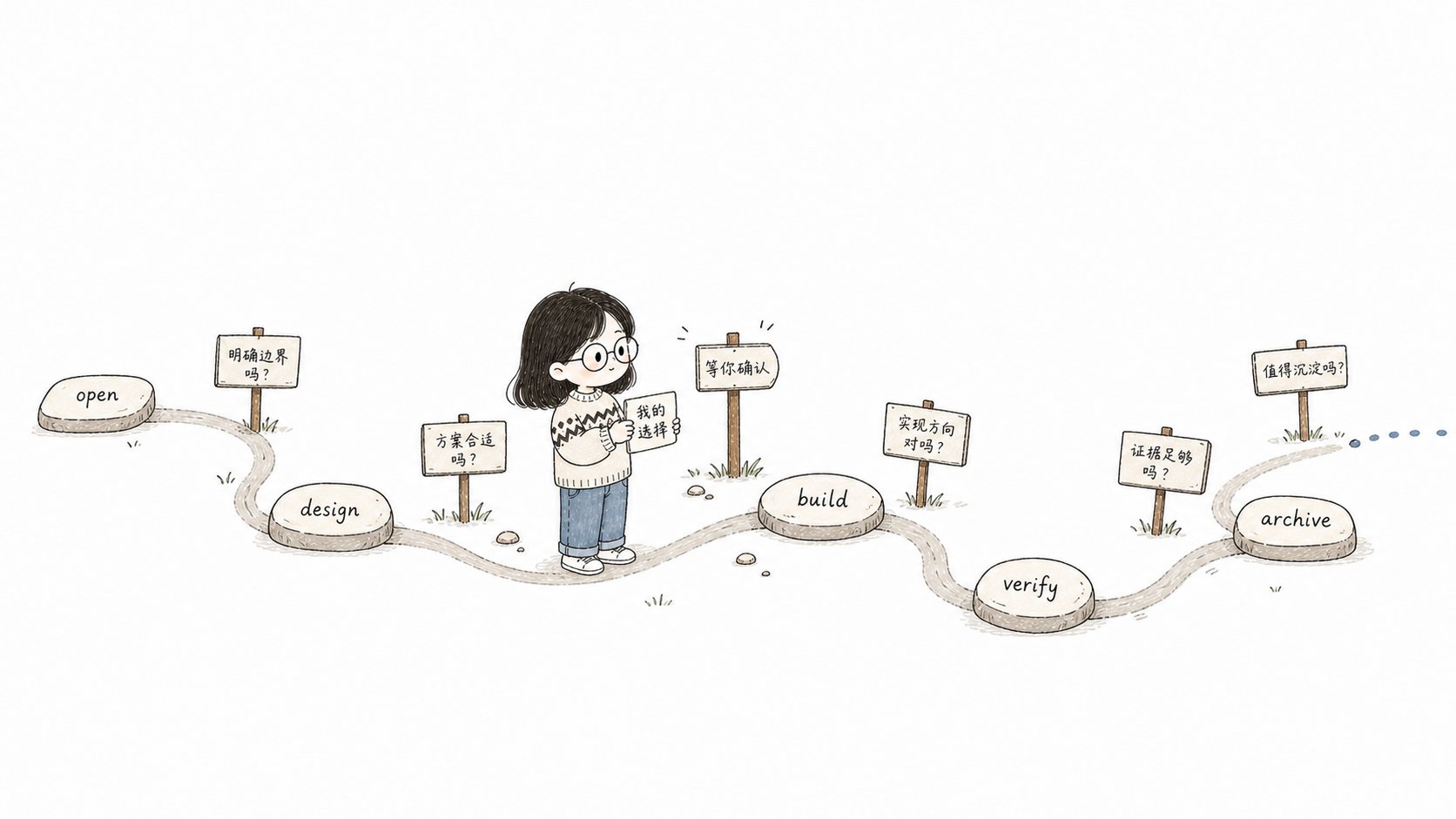
automatic propulsion only handles unambiguous connections. When encountering a pause point, you must wait for your confirmation before continuing with
Pause points in the routing stage
1 - workflow target selection
Comet only pauses when there is genuine ambiguity. When there is only one clearly relevant active change, restoration will be directly recommended.
Pause point in the open phase
2 - PRD split pre-inspection
Option
No artifact will be created before confirmation. After each split item is completed, it will pass the dual verification of
openspec status --json and comet state check. Only when both pass will the split be declared complete. For details, please refer to Large PRD Split
3 - Workspace decision
When you clearly express a parallel intent, Comet uses worktree directly without asking separately. Otherwise, it presents
current, branch, and worktree as a single decision.
4 - proposal/design/tasks Review (including Name and Scope)
Starting from 0.4.0-beta.5, the default requirements clarification and naming in the open phase are and non-blocking
. When the scope and name are clear, continue directly without pausing separately for you to confirm the summary or name. The final review will confirm the name, scope and three documents all at once. Only when it still exists will the scope or target be changed
A joint question is only used once when the mutually exclusive selection of the change identity is made. A clear request skips the naming confirmation before the product.
Pause points in the design stage
5 - Design scheme confirmation
Before confirmation, do not create a Design Doc, do not write
design_doc, and do not run guard.
Active context compression happens after the Design Doc, the state and the handoff have all been written (before entering build). When the platform does not support programmatic triggering of compression, Comet only gives a non-blocking compression suggestion and continues; it does not add a confirmation point for this.
A pause point during the build phase
6 - Build joint decision-making
One-time joint decision on plan-ready and the execution-related working modes. Workspace isolation was already decided at the open-stage workspace decision (pause point 3), so it is not asked again here:plan-ready selection
Comet allows you to plan with an advanced model and execute with a lower-level model, and supports cross-device zero-context resumption of execution after model switching.
Execution method
TDD Pattern
Review mode
0.4.0-beta.5 combines plan-ready and working modes into ** one joint decision ** to avoid two pauses. When branch/worktree isolation was chosen, the branch name follows the value you confirmed at the open-stage workspace decision. The recommendation rules are for reference only and cannot replace your confirmation.
7 - spec Drift Split Decision
When new tasks are found to exceed 50% of the initial tasks.md during execution, you are forced to select:The pause point of the verify stage
8 - Verify exceptional decisions
Verification failures from 0.4.0 to beta.5 are classified and handled according to the following rules:
CRITICAL and IMPORTANT discoveries ** can never be exempted **. Only when you accept the WARNING/SUGGESTION bias or the strategy choice after the fourth failure does you need to get involved. The consecutive failure count is persisted by the
verify_failures field, which Comet maintains automatically, and is retained across recovery.
spec drift handling (only full check 6, which is a trigger of pause point 8)
When there is a contradiction between delta spec and Design Doc, choose one of the three:Pause point in the archive stage
9 - Final confirmation of archiving and delivery
branch_status: handled indicates that the delivery method has been confirmed, but it does not mean that the push or PR has been successful. Comet
Write it in after the archiving is completed and before the unique archiving is submitted. current selection is cleared only after the selected remote operation is successful
And declare it completed. The archiving phase no longer loads finishing-a development-branch.Whether
auto_transition is auto or manual, a pause point will be executed before archiving
9 Verification passing will not be automatically archived.Upgrade signal pause point (hotfix/tweak only)
10 - Upgrade Evaluation
Pause point rule
All pause points follow the same protocol. Starting from 0.4.0-beta.5, the protocol first determines whether user input is really required:- ** User Decision ** - Two or more valid options will change the scope, behavior, acceptable risk or irreversible outcome, and you must choose.
- ** Automatic processing ** - There is only one safe next step left in the request (fixing objective failures, checking state consistency, retrying idempotent checks, following persisted configurations), which is executed directly and reported without generating confirmations.
- ** Stop Condition ** - Missing dependencies, state corruption, path escape, or unavailable external commands, no valid next step, report blocking and recovery conditions.
- ** Manual Handover ** -
NEXT: manualonly returns control, not a new user decision point; Print the HINT and end the current call without asking “Do you want to continue?”
- ** Must be paused ** - cannot be automatically selected based on recommendations, default values or current status.
- ** Prioritize structured questions ** - Display clickable single-choice/multiple-choice questions when supported by the platform; When unavailable, downgrade to the numbered text option.
- ** Demotion is determined only once ** - If the first structured question fails, the subsequent pause points of this session will directly use the text option.
- ** Do not advance before selection ** - Do not create products, do not run guards, and do not flow.
- ** Recommendations are for reference only ** - The recommendation rules cannot replace your confirmation.
Next step
- open stage - the pause point of open
- build phase - Joint decision for build
- verify phase - Verification exception decision of verify
- archive stage - archive filing and remote delivery confirmation
- Workflow Concept ](/en/concepts/workflow) - Overview of Blocking Points for User Participation