

/comet to restore it. Comet first reads the project root configuration, enters /comet-native or /comet-classic, and then continues from its own disk state by the corresponding workflow. Neither side will scan, guess or convert the change on the other side.
The shortest path
Enter: In the Agent platform.comet.yaml, and runtime evidence.
You can also directly say “continue”.
Starting from 0.4.0-beta.4,comet init and comet update will incorporate a Comet recovery description into the project’s AGENTS.md and CLAUDE.md. When a long-term task is compressed in context, continues across sessions or devices, the Agent may have forgotten that the current request originally belonged to Comet, and the user has not re-entered /comet. At this point, the Agent can first run the read-only comet resume-probe to determine whether “continue the previous login refactoring” corresponds to the existing change, and then decide whether to re-enter the workflow.
This description only restricts Comet’s recovery detection and will retain the existing user rules in the file. The probe first parses the configuration and then only checks one set of workflows. It will not roll back when the configuration is damaged. The
ambient_resume: false in .comet/config.yaml can turn off probes triggered by ordinary requests. It will not affect the explicit /comet, nor will it bypass existing decision points.
For details, please refer to the Restore Detection Command
How to restore Classic
This section also explains the background mechanism: which files
/comet-classic
rereads and which rules it uses to route to the next phase. You only need to enter
/comet continue; Comet completes the routing below automatically./comet-classic depends on several mechanisms:
Routing during recovery (stops upon hit, subject to file status) :
As long as there is one active Classic change,
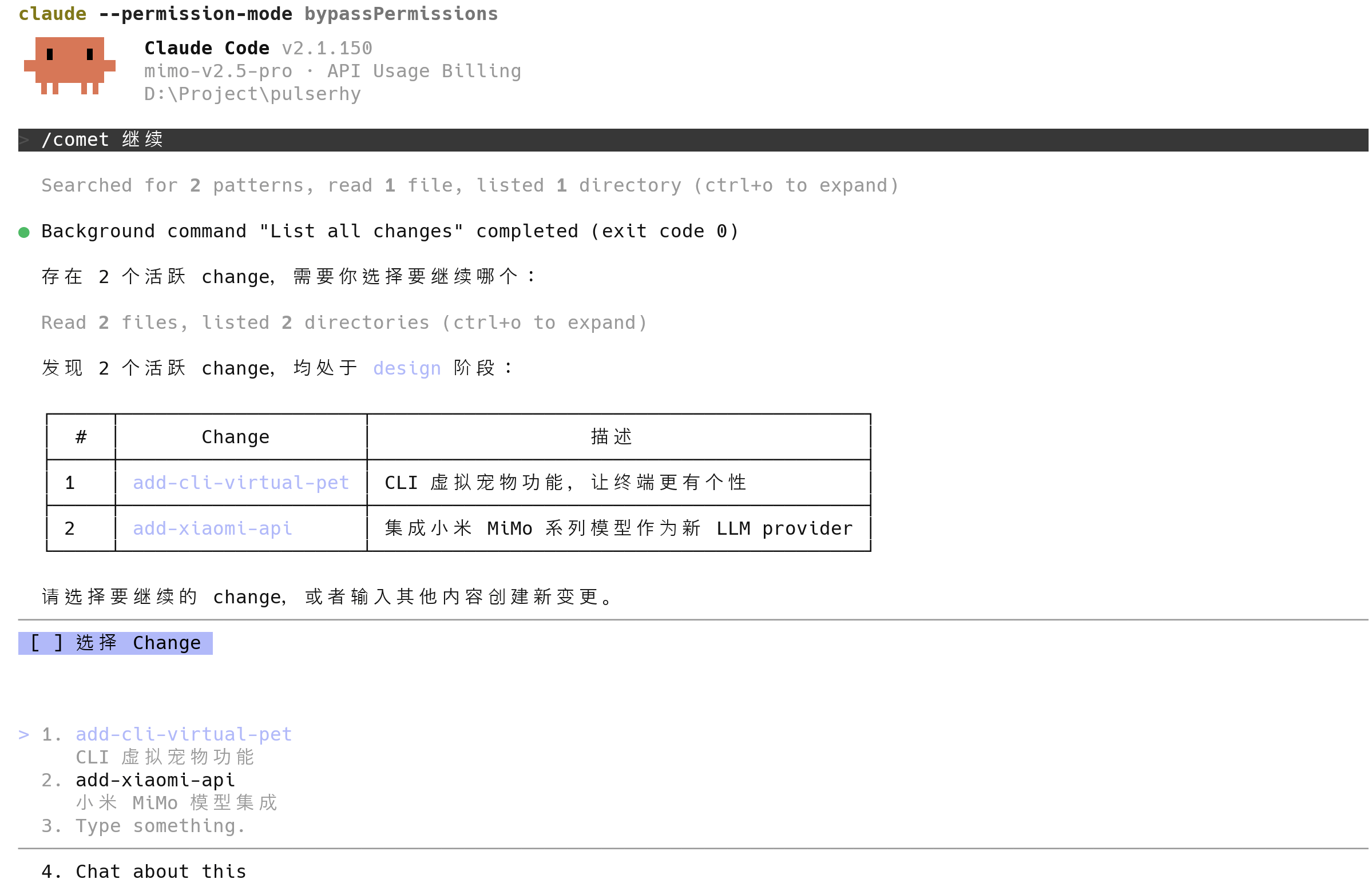
/comet-classic automatically selects it; when there are multiple, it presents a list for you to choose from.
If you resume through natural language and there are multiple active changes, Comet will not pick one for you automatically; the recovery probe returns ask_user and waits for you to specify the target change.
Workspace reuse of Classic Change
When creating or restoring a Classic change, Comet first reads the branch and worktree bindings recorded on the change. Any matching registered worktree is reused directly; if no matching worktree is found but the branch still exists, the recovery process recreates it. If the current directory, branch, and worktree do not match, Comet pauses to wait for your selection instead of silently switching workspaces. Simply run/comet or /comet continue from the target project directory. If multiple active changes exist, select your target before continuing Classic. Do not attempt to manually copy change directories to restore work.
Restoring on a different device or platform
Classic states that can be recovered across devices are saved in repository files:.comet/config.yaml, OpenSpec artifact roots (docs/openspec/ for new projects), the change’s .comet.yaml, running evidence, and docs/superpowers/. When opening the same repository on another device or platform, /comet reconstructs state from these files. For cross-device recovery of Native changes, see the Recovery Playbook.
Important note: Uncommitted workspace edits will not be pushed to the remote repository. Before switching devices, commit and push your code; otherwise, the new device will restore to a clean workspace lacking those uncommitted edits (task completion status in
tasks.md will still be preserved).Cross-Device Breakpoint Recovery
The diagram below illustrates cross-device breakpoint recovery: as long as repositories are synced,/comet can reconstruct breakpoints from file states across devices or platforms without requiring manual context handoff.
What should be done after context compression
If the Agent platform where Classic change is located automatically compresses the context, re-enter/comet. The project configuration will re-enter Classic, and the internal /comet-classic will be restored to the overloaded state according to the protocol. Read the brainstorm-summary.md, handoff handover packet and .comet/subagent-progress.md when necessary. You don’t need to operate these files manually.
Recover from any stage entry
Classic resumes normal use of/comet. The stage and preset entry points are only for manual control or debugging: /comet-open, /comet-design, /comet-build, /comet-verify, /comet-archive, /comet-hotfix, /comet-tweak.
There is a deterministic guarantee here: when each phase Skill enters, it first locates its own scripts, then runs the entry check or recovery check for that phase. The phase is always determined by the current file state.
- If the inspection reveals that the actual phase, workflow or evidence belongs to ** another ** Skill, switch according to the script output and
/comet-classicrouting rules, ** do not continue writing the state in the wrong phase **. - If there are any uncommitted changes to the working tree, first attribute them using the rule of
comet/reference/dirty-worktree.md.
Special circumstances for recovery during the build phase
The recovery during the build phase is the most complex, but in most cases,/comet-classic can also handle it automatically
When the subagent mode (
build_mode: subagent-driven-development) is restored, the main session will not directly execute the task. Instead, it will return to the backend sub-agent scheduling rules, where the main session only performs coordination.
When there are unsubmitted changes
If there are uncommitted changes in the workspace, Comet will automatically make ** attribution ** without you having to explain what has been changed first:- The changes belong to the current change → Fold in and continue
- Unrelated to the current change → Pause asked how to handle (merge/split new change/retain/discard)
- Source uncertain → Suspend the list of reporting documents and the basis for judgment
node_modules/, dist/, etc., .gitignore) will be automatically excluded and modified by improper users.
When you need to intervene
/comet-classic can automatically promote unambiguous connections, but the ** decision point ** must be clearly chosen by you. Common situations that require your intervention during recovery:
- ** Verification Failed ** (
verify_result: fail) : You need to decide whether to fix it or accept the deviation - ** True plan-ready pause ** : You need to select the isolation and execution methods
- ** Missing build decision ** : You need to make up the selection of
isolation/build_mode/tdd_mode - ** Unattributed unsubmitted changes ** : You need to specify the attribution of the changes
- ** Multiple active changes ** : You need to choose which one to restore
/comet-classic will automatically advance.
When should comet status/comet doctor be used
These two are diagnostic tools, not essential steps for recovery:runtime_eval will tell you whether the evidence of the declared steps is really on the disk. When it fails, run < command > or restore missing evidence will be prompted.
Next step
- Resume Probe Command — Read-only probing prior to natural language resumption
- State Corruption and Recovery — What to do if
/comet-classicrouting misbehaves or state corrupts - Project File Structure — In which files state is stored
- Auto-Transition Mechanism — Automatic sequencing after recovery
- Five-Phase Pause Points and Decision Points — Where human intervention is required