

tweak is Comet’s lightweight preset for reusing the native OpenSpec flow. It runs open -> build -> verify -> archive, skipping brainstorming and full planning, but it treats delta spec as a formal artifact — and builds through OpenSpec’s native apply action.
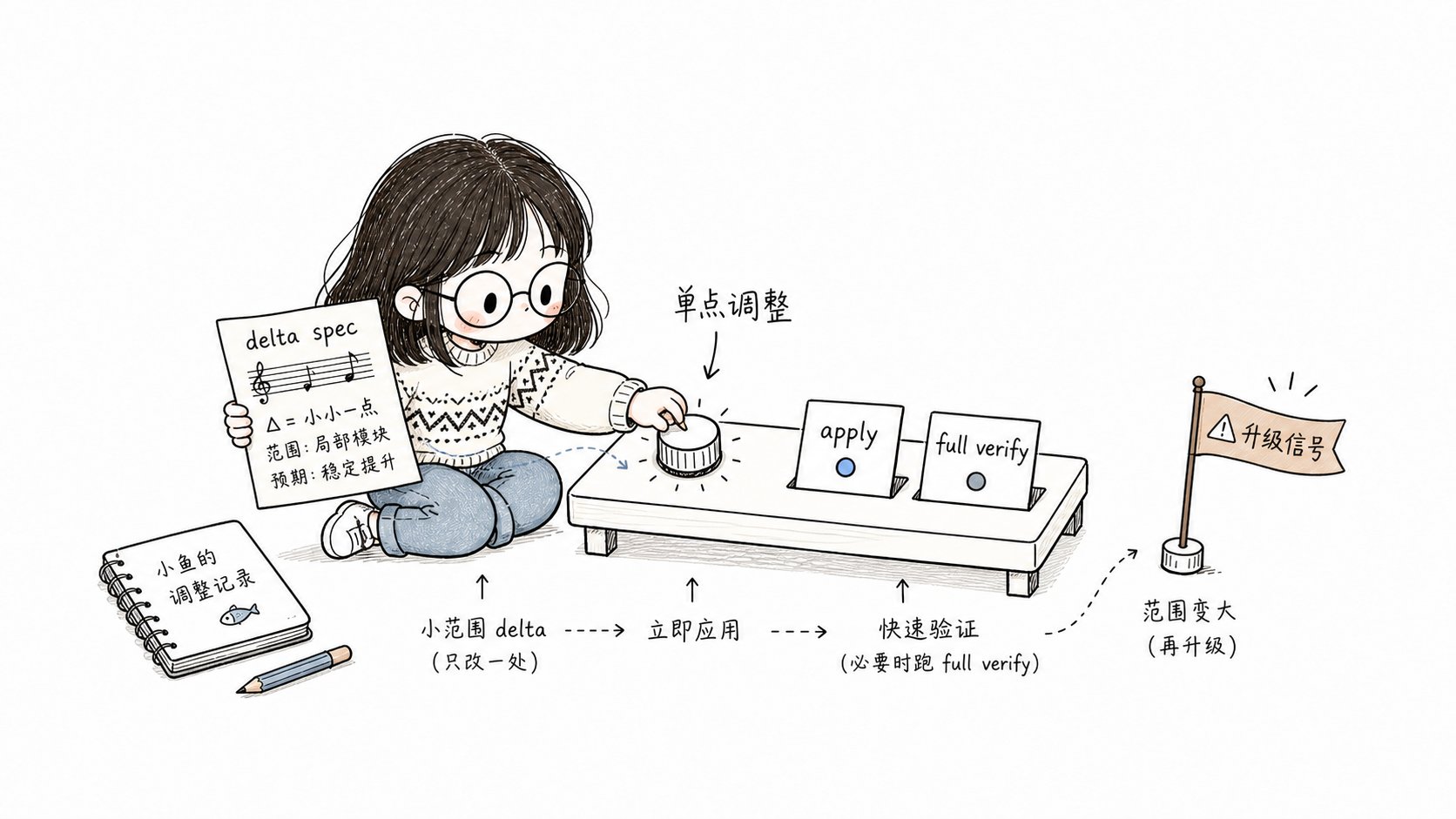
tweak records the change in a delta spec and executes it through OpenSpec apply.
Use tweak for configuration changes, documentation or prompt improvements, and behavior tuning, as long as the scope converges into a single change and you do not need a full Design Doc or implementation plan.How it gets triggered
tweak is generally not a command you type. When you call/comet and land in Classic, the internal /comet-classic runs preset detection first at Step 0:
You can also type
/comet-tweak directly. To resume normally, keep using /comet; once the configuration enters Classic, the internal /comet-classic reads the workflow field of .comet.yaml and routes back to /comet-tweak while the change is in phase: build.
When to use it
All of these must be true:- The work converges into a single OpenSpec change.
- You do not need a Superpowers Design Doc or a full plan to clarify the approach.
- No cross-module or cross-layer architectural coordination is involved.
- The task size is predictable (file count and task count are only hints, not hard escalation conditions).
Relationship to full and hotfix
The key difference is the status of the delta spec: hotfix treats the delta spec as
an exception, tweak treats it as a normal artifact — needing a delta spec is not by itself an
escalation reason. If your change naturally modifies a spec, tweak is the right choice. The
other key difference is the build style: tweak uses OpenSpec’s native apply path (which belongs only
to tweak; full must not adopt it).
What happens
Step 1: Fast open (preset open)
Loadopenspec-new-change (without the long openspec-explore exploration) and create slim artifacts:
Initialize the tweak state:
design.md for tweak (only full does), so open jumps straight to build and skips the design phase. The defaults init writes and the isolation choice at entry (isolation defaults to null, and you explicitly keep the current branch, create a branch, or create a worktree; after confirmation, isolation and bound_branch are recorded) are the same as hotfix. The default value table and its explanation are in hotfix preset: Init defaults.
Step 2: OpenSpec apply build (tweak-specific build)
This is the biggest difference between tweak and hotfix. tweak does not run a manual task loop; it executes tasks through OpenSpec’s nativeopenspec-apply-change:
Use the default build_mode: direct and skip Superpowers brainstorming and writing-plans. The apply flow is:
- Run
openspec status --change "<name>" --jsonto confirm the schema and task artifacts. - Run
openspec instructions apply --change "<name>" --jsonto read the apply instructions,contextFiles, task progress, and dynamic instructions. - Read every context file listed in the apply instructions (never implement from an old conversation or a handwritten task loop alone).
- Complete the unchecked tasks one by one according to the apply instructions, keeping changes minimal and focused.
- After each task: format → run the relevant tests → tick it off per the
openspec-apply-changerules → commit (tweak: <short change description>). - When all tasks are done, explicitly run the project’s relevant tests and build commands.
- Run the build guard to complete the build → verify transition.
systematic-debugging (the shared debugging protocol). Throughout build, keep judging escalation signals and do a consolidated review before the build → verify guard.
Step 3: Verification (preset verify)
Reuse/comet-verify; the verification path depends on whether there is a delta spec:
When there is a delta spec, set it explicitly:
Step 4: Archive (preset archive)
Reuse/comet-archive. It requires verify_result: pass and waits for the final confirmation before archiving. If there is a delta spec, sync it into the main spec with the ADDED/MODIFIED/REMOVED/RENAMED semantics.
The invoked skill
brainstormingandwriting-plansare skipped as well: tweak does no technical design or implementation plan and applies changes directly from the delta spec.- Without a delta spec, verification runs in light mode; verify and archive load skills exactly like their stage pages.
Escalation decision (three layers)
tweak’s three-layer escalation decision shares the same mechanism as hotfix: when a qualitative-change signal hits or the file-count threshold is crossed, Comet pauses and lets you choose between two options (continue tweak or escalate to full). File count is only a tripwire and never escalates on its own;comet-state scale only sets verify_mode and does not gate the flow. To escalate, you can only use the legal preset-escalate channel — no self-escalation and no hand-editing .comet.yaml. For the complete mechanism (the signal list, the escalation decision, and the one-shot effect of preset-escalate), see hotfix preset.
tweak differs from hotfix in exactly two ways:
- Qualitative signal #2 is different: tweak’s is “the work needs to be split into multiple OpenSpec changes”, hotfix’s is “a new capability is needed” — because tweak must converge into a single change, while hotfix adds no capability. The other signals (cross-module coordinated changes, database schema changes, new public APIs, deep architecture issues) are identical on both pages.
- The file-count threshold is higher: when the number of changed files exceeds 6, tweak pauses for your decision (hotfix pauses above 4), because tweak itself may touch more files. File count is a tripwire for user choice, not a hard escalation condition — more files does not equal a qualitative change.
Continuous execution and mandatory stops
The default behavior and mandatory stops are the same as hotfix: tweak executes continuously in one go by default — once invoked, it advances automatically and does not pause on its own. Regardless ofauto_transition, tweak must pause for your confirmation when an escalation signal or the file-count threshold hits, when it reaches a verification-failure decision, or when archive and delivery confirmation is needed. With auto_transition: false, execution degrades to manual per-phase advancement. For the complete list of mandatory stops, see hotfix preset: Continuous execution and mandatory stops.
There is one difference in how tweak executes: tweak always runs through OpenSpec apply, so task count does not change the execution mode, and it never pauses to confirm because of task count.
Exit conditions
The exit conditions are the same as hotfix, except for the object being described: tweak says “the change is complete and tests pass”, hotfix says “the bug is fixed and tests pass”. The remaining conditions — the change is archived, spec changes are synced into the main spec, and the phase guards before build → verify and verify → archive — are covered in hotfix preset: Exit conditions.Recovery
The recovery mechanism is the same as hotfix: tweak is idempotent. After an interruption it resumes from the first unchecked task in tasks.md, andcomet-state check <name> build --recover prints recovery context. For phase routing after an interruption, see hotfix preset: Recovery; tweak’s own routing entry is in How it gets triggered on this page.
Next steps
- hotfix preset — the other lightweight preset (fix a bug)
- Auto-transition — continuous execution, escalation, and
preset-escalate - Decision points — tweak’s pause points
- Verify phase — the verification flow tweak reuses